
Live English is the most convenient way to improve your spoken English with a native teacher, without leaving your desk. Lessons run on Zoom, Microsoft Teams or Google Meet, whichever you are most comfortable with, and focus on the speaking practice that builds real confidence at work.
Our classes are built for:
remote teams who meet on Teams | professionals on back-to-back video calls | expats and home-based learners | anyone short on time who wants to skip the commute

Self-study apps and live classes solve different problems. For speaking with confidence in real situations, a teacher does what an app cannot.
| What matters for speaking | Live classes with a native teacher | Self-study language app |
|---|---|---|
| Real conversation practice | You speak with a person in every lesson Live English | Mostly tap, repeat and multiple choice |
| Feedback on your mistakes | Immediate, personalized correction from a teacher | Automated, limited to scripted answers |
| Lessons built around you | Tailored to your job, your goals and your level | One fixed path for everyone |
| Pronunciation and accent | Corrected live by a native speaker | Hard for an app to hear and fix reliably |
| Staying consistent | A booked lesson and a teacher expecting you | Easy to skip, relies on willpower |
| Confidence in real situations | Built through real back-and-forth conversation | Hard to transfer from solo drills |
Apps and live classes can work together: many learners use an app for vocabulary between their weekly lessons with a teacher.
Register for a free trial lesson and see how you can improve your English with a real teacher on Zoom, Microsoft Teams or Google Meet.
In your trial you get an evaluation of your English level, a chat about your goals and how to reach them, and a first taste of learning online with one of our teachers.
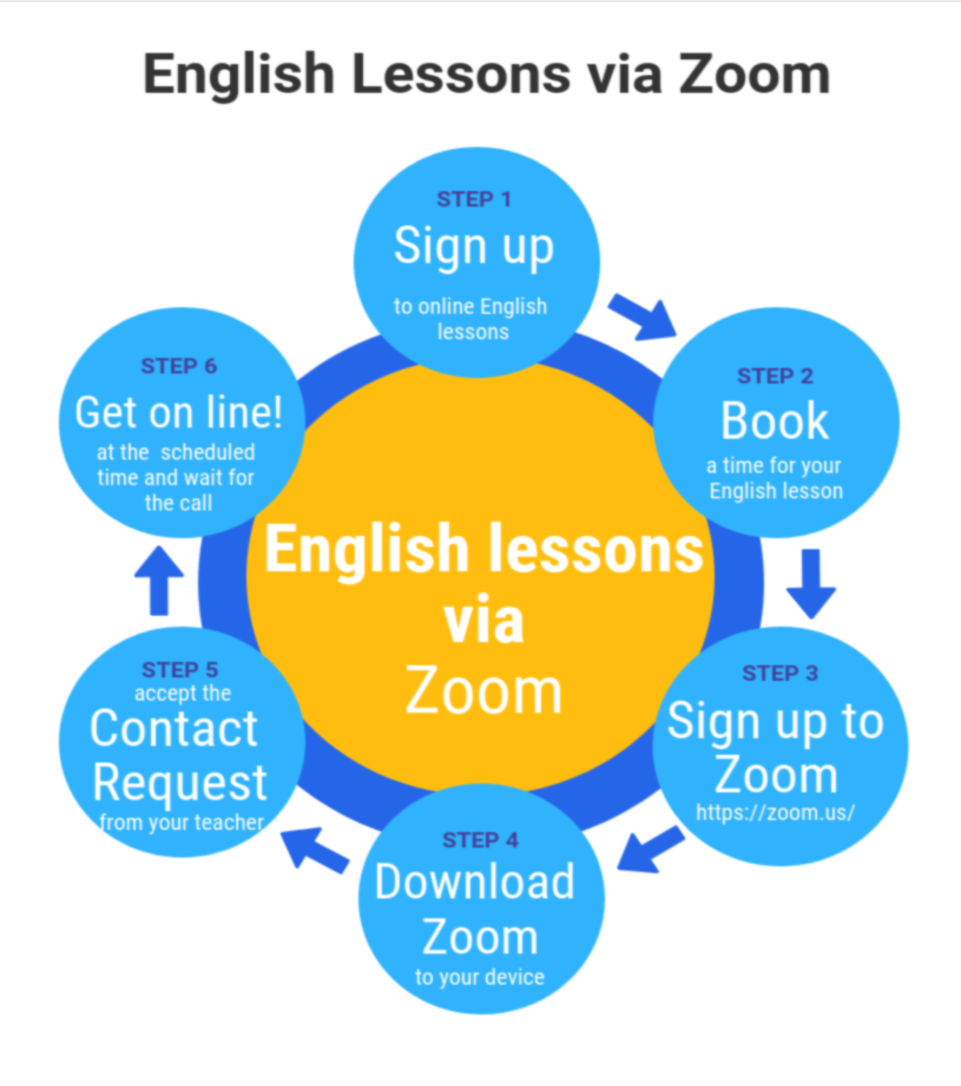
For the last few years, video classes have changed the way we learn online. At Live English we recommend Zoom for the best experience, though you are free to use Microsoft Teams or Google Meet if you prefer.
We started out on Skype. As the tools improved and Skype was retired, we moved to platforms that give crisp video, reliable sound and easy screen sharing for both teacher and student. With today’s technology you will forget your teacher is thousands of miles away.
See it for yourself. Register for a free trial lesson and find out how online classes with Live English work.
You can also explore our Spoken English Course, our Business English course, English by Phone if your connection is unreliable, or the group sessions in the Live English Club. See full pricing here.
Posted on GoogleTrustindex verifies that the original source of the review is Google. Live english est une superbe experience pour améliorer son niveau en anglais ! Les professeurs sont top, sympathiques, bienveillants et hyper pédagogues. Les moments de cours ont tous été super agréables et toujours dans la bonne humeur et la sympathie. Les professeurs viennent de différents endroits partout dans le monde et ont divers accents ! Il y en a pour tous les goûts. J'ai vraiment eu l'impression de lier de vrais liens avec eux et j'en suis ravie. C'est une expérience que je recommande ! (Mention spéciale pour Georgia et Kwazi ! <3<3<3 )Posted on GoogleTrustindex verifies that the original source of the review is Google. Au top 😊 ma fille a réussi son examen et progresse tellementPosted on GoogleTrustindex verifies that the original source of the review is Google. Live English net allowed me to succeed in my job interview with a European institution. For the quality and pedagogy of teachers and for the real progress I made, I recommend Live English Net. ChristianPosted on GoogleTrustindex verifies that the original source of the review is Google. I attended the lesson with Jo-Anne during late morning and she explained me the using of AI for the generation of master reports of every student. Interesting!Posted on GoogleTrustindex verifies that the original source of the review is Google. Jo-Ann ist eine wunderbare Englisch-Lehrerin. Kompetent, einfühlsam und sehr klar. Ich profitiere sehr, sehr viel von Jo-Ann in "Live English", um frei englisch sprechen zu können.Posted on GoogleTrustindex verifies that the original source of the review is Google. Live English is helping to improve my english day by day! The website page is very user-friendly and my calendar updates immediately when I schedule a new lesson. If fits easily during work day. My teacher is always attentive, providing guidance and suggesting areas where I can improve.Google rating score: 4.9 of 5, based on 69 reviews
Yes. Our online English classes are open to anyone who wants to improve their English, especially speaking. Whether you are lower-intermediate or advanced (A2 to C2), a professional sharpening your business communication, or preparing for an interview, we have lessons for you. Our native teachers run personalized classes on Zoom, Microsoft Teams or Google Meet, so you can learn from anywhere.